Turn regulatory guidance into connected operational control
RegOpsPro Professional gives GDP and Quality teams a structured way to run responsibilities, operational activities, assurance and follow-up against their organisation — while their authorised QMS remains the controlled system of record.
Free helps you do a task. Professional helps you run the process.
Bring the evidence, gaps, working judgement and next actions together. Explore two examples below before signing in.
EXAMPLE OUTPUT · SUPPLIER QUALIFICATION
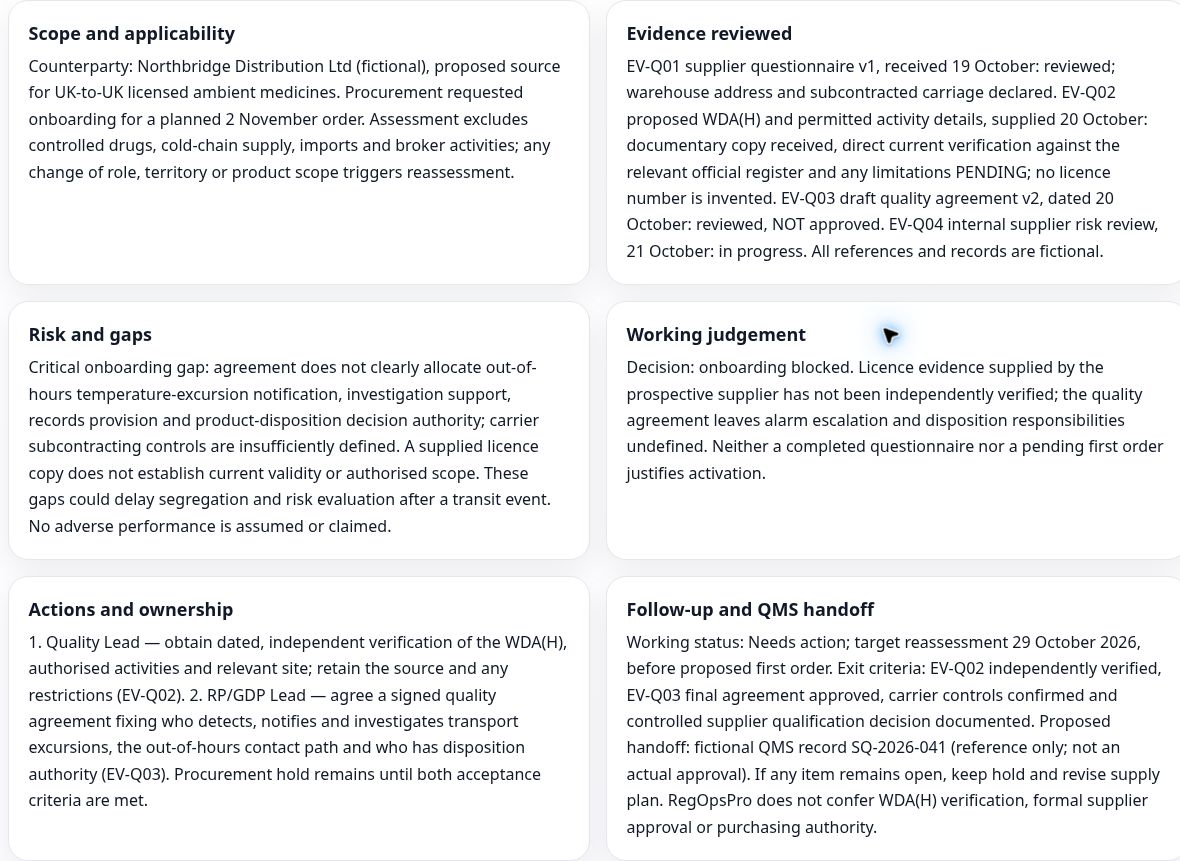
A clear reason to hold supplier onboarding
The licence check is still outstanding and the quality agreement leaves critical responsibilities unclear. The example brings those gaps into one working recommendation, with owners and conditions for reassessment.
Actual screenshot of the product’s fictional, read-only worked example. It illustrates a working output; it is not a supplier approval or regulatory record.
EXAMPLE 1 · QUALIFICATION
Know what must be resolved before the first order
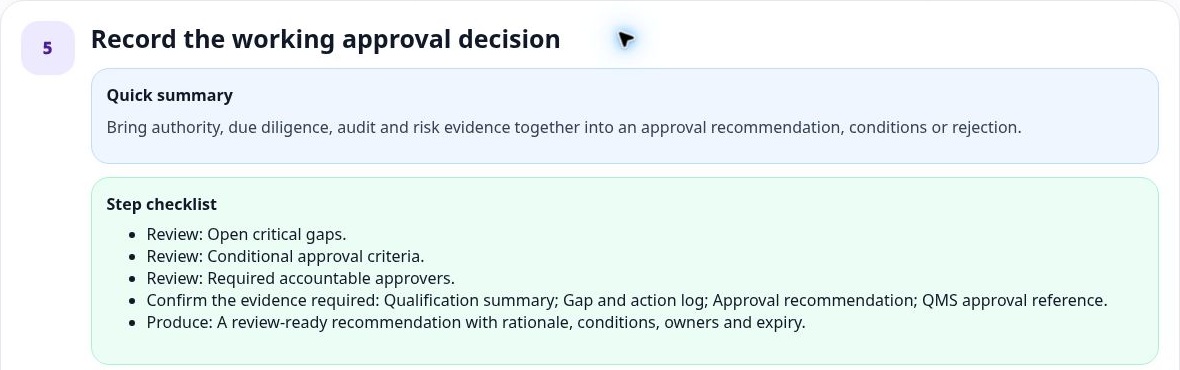
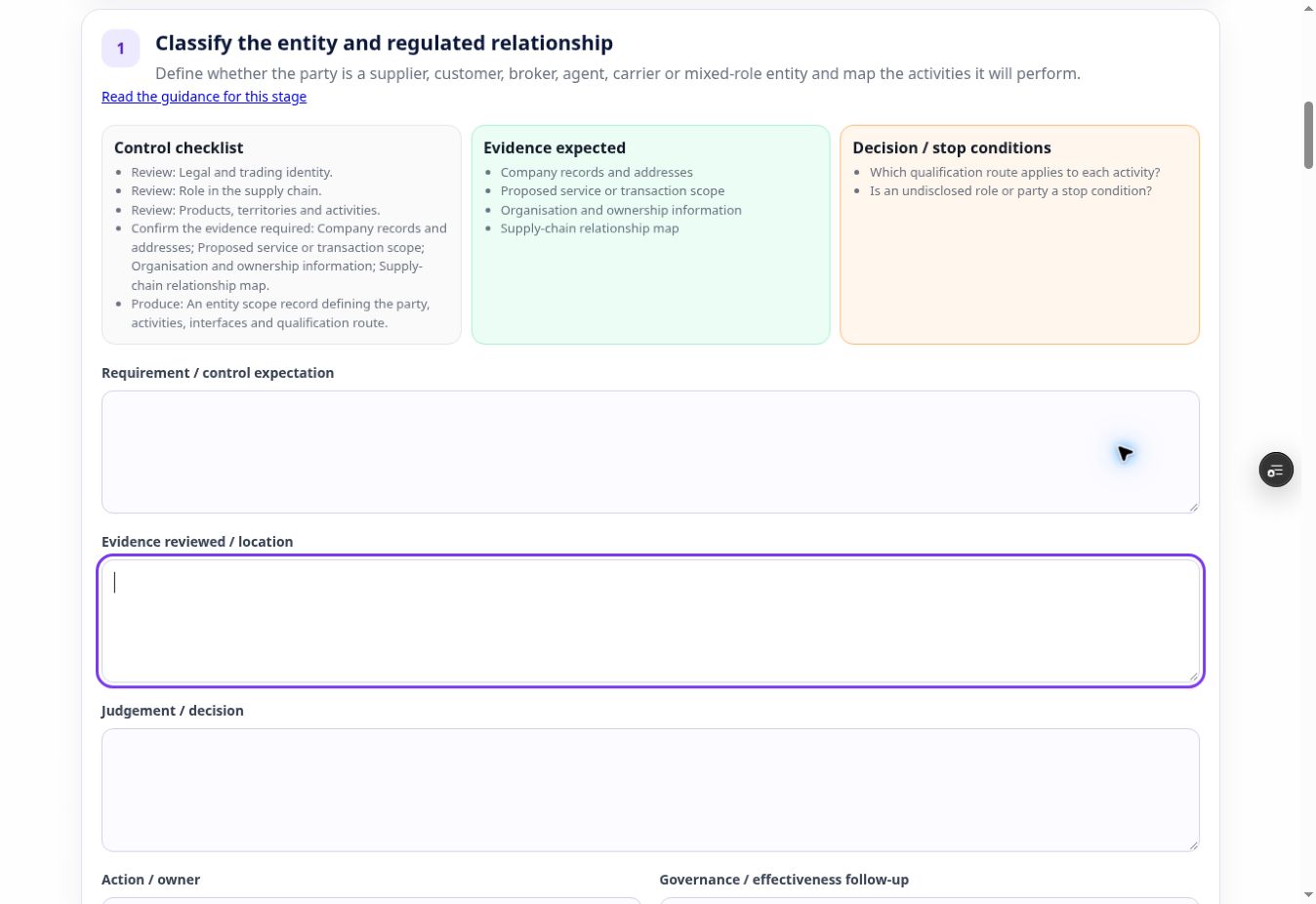
Use the Workspace to understand the controls and stop conditions. Use the Module to record the evidence and judgement for a defined supplier, customer or broker activity.
View qualification Workspace — decision checklistReview critical gaps, approval conditions and accountable approvers before preparing the working recommendation.View qualification Module — evidence and judgementThe real Module interface connects the control checklist and evidence expectations to structured capture fields. This TEST record is a draft.Sign in to open qualification Workspace →Sign in to open qualification Module →EXAMPLE 2 · SELF-INSPECTION
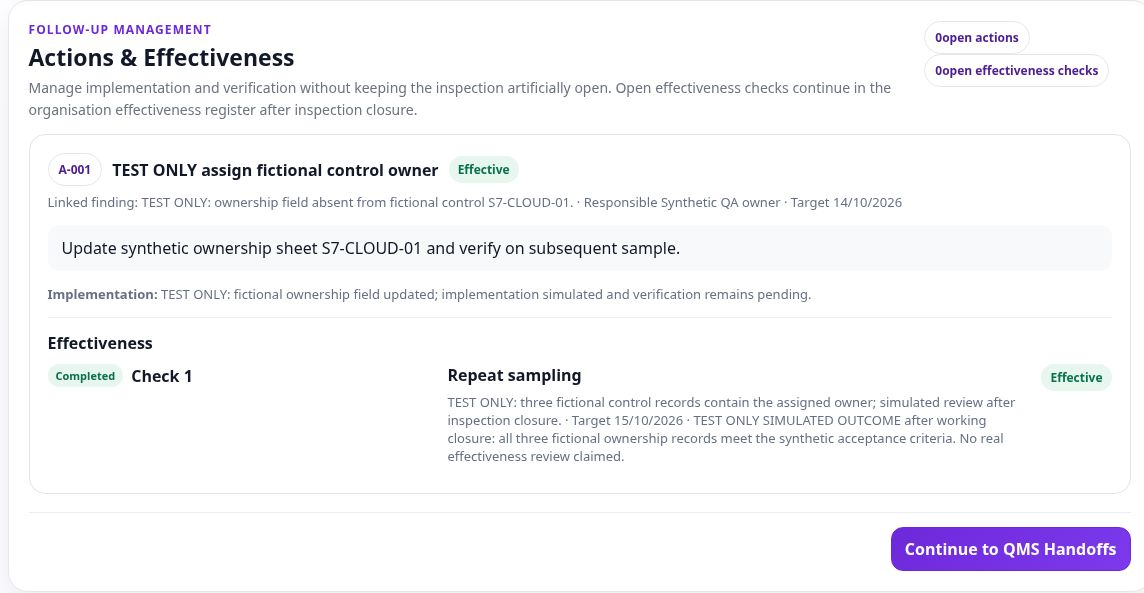
Keep the finding, action and effectiveness check connected
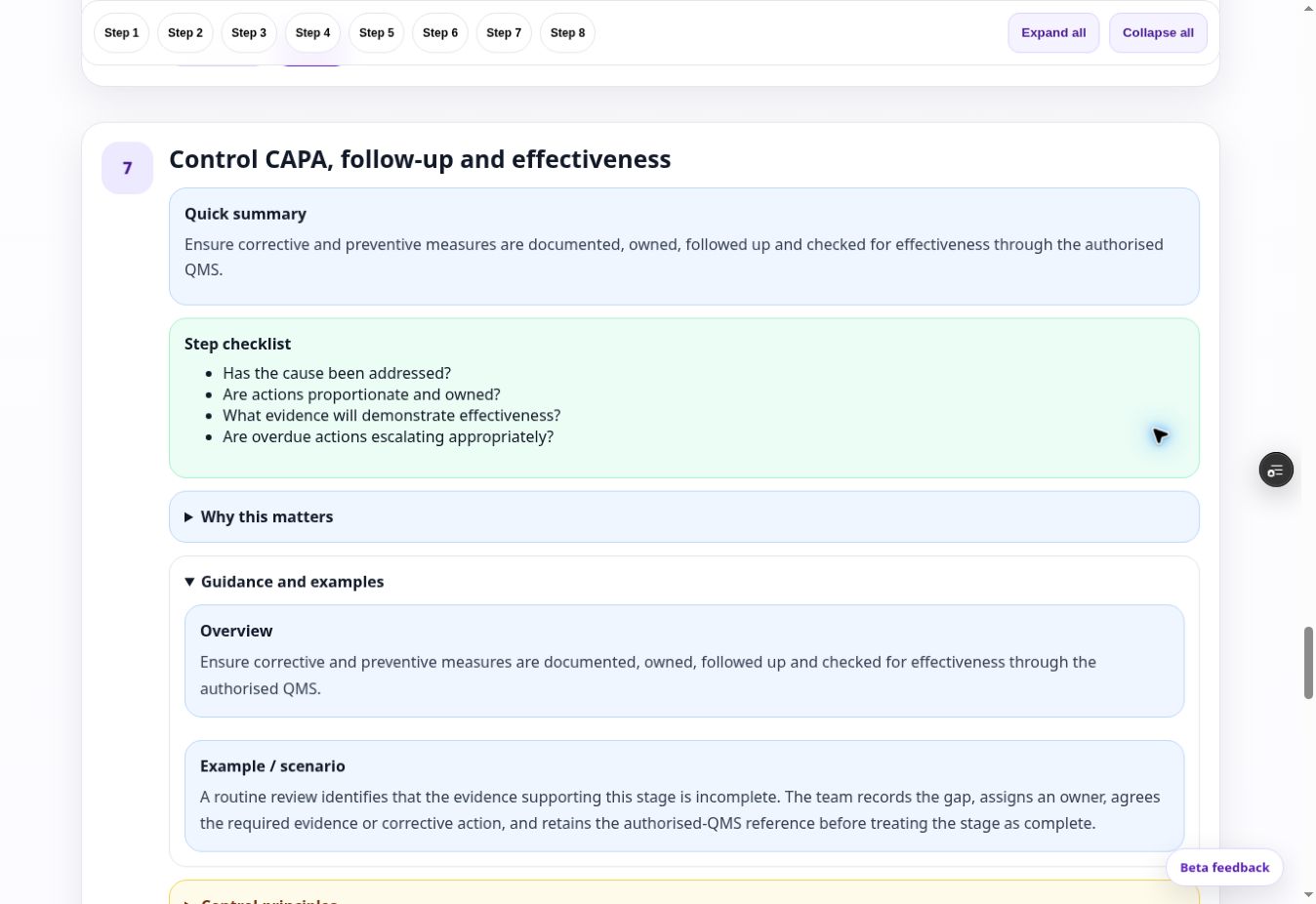
Use the Workspace to plan the evidence needed for follow-up. In the Module, retain the linked finding, responsible owner, implementation evidence and subsequent effectiveness result.
View self-inspection Workspace — CAPA follow-up guidanceThe Workspace prompts you to challenge ownership, proportionality, evidence of effectiveness and overdue escalation.View self-inspection Module — action to effectivenessActual TEST Module record with fictional action and simulated effectiveness evidence. The example shows how the follow-up stays connected; it does not claim a real inspection outcome.Sign in to open self-inspection Workspace →Sign in to open self-inspection Module →
Return to the work you started. Saved Work keeps your organisation-linked records available to reopen and review. View the Saved Work screenshot.
These are genuine product captures with account identity excluded. Examples use fictional TEST content. Formal approvals and controlled records remain in your authorised QMS.
Professional is not simply a larger toolkit. It turns working activity into persistent, organisation-linked outputs and saved work that can be owned, reviewed, connected and followed over time.
Run responsibilities
Structure RP and RP-I oversight around evidence, working decisions, actions, review and governance.
Run GDP operations
Keep qualification, export, transport, outsourced activities and other operational work connected to the organisation.
Run Quality oversight
Use persistent workspaces for ongoing organisational quality-system application, with Modules for individual execution outputs.
Manage assurance
Connect self-inspections, findings, actions, effectiveness follow-up and inspection readiness rather than leaving them as isolated outputs.
Keep evidence connected
Retain evidence references, ownership, history, related work and review dates against the organisation.
Ask RegOps in context
Use grounded regulatory support alongside organisation evidence and active Professional work where permitted.
The Free platform remains intentionally useful. Professional earns the upgrade by adding persistence, lifecycle, relationships and governance.
Free
Understand requirements and complete useful standalone work.
Operating Models™ and Practitioner Guides™
GDP Operating System
13 standalone assessments, builders and checklists
Inspection Pack and public resources
Generate or take away an output
No organisation-linked lifecycle required
Professional
Run ongoing organisation-linked operational processes.
Use persistent Workspaces for organisational application, commentary and governance
Use Modules for individual execution activities and outputs
Save and reopen tool drafts in your organisation account
Assign working ownership and team involvement
Link evidence, findings, actions and related work
Schedule reviews and follow-up
Retain working history and governance context
Reference formal QMS records without replacing them
Use Ask RegOps with organisation/work context
Designed to work with your existing QMS
RegOpsPro is intended to strengthen the operating layer around the systems you already use.
Paper or hybrid QMS
Use Professional to add visibility, connected follow-up and operational structure around approved paper forms, controlled documents, shared drives and other authorised records.
Existing eQMS
Use Professional for specialist GDP/Quality operational control and decision preparation, then reference the formal authorised QMS record where controlled workflow or closure is required.
Working operational layer — not a replacement eQMS. RegOpsPro can retain working assessments, evidence references, decisions, findings, actions, reviews and governance context. Formal controlled approvals, statutory records and authorised QMS closure remain in the organisation's approved systems and with accountable professionals.
Built for regulated teams that need to trust where the work goes
Professional uses a dedicated Production data environment, organisation-scoped access controls and an explicit AI/QMS boundary. The platform is designed to support company working information without pretending to become the approved master record.
EU-hosted Professional data
The dedicated Professional Production database is hosted in the EU and separated from Preview/Test environments.
Organisation-scoped access
Signed-in work and outputs are tied to an organisation and protected through authenticated membership and database/application access controls.
Transparent data boundaries
See how AI, analytics, subprocessors, retention and QMS handoff are handled before deciding what information your organisation authorises for use.
Professional is currently available by invitation during beta
We are inviting GDP, RP, RP-I and Quality professionals to use the connected workflows in real working scenarios and help validate the commercial product before wider release. You do not need to wait for us to contact you first — you can request access directly.
Requests are reviewed before access is enabled. Requesting access does not automatically create a Professional account.
Corporate review required? Share the Beta Security & Data Protection Pack with Legal, Privacy or Information Security before entering organisation data.
 RegOpsPro™